Automation

WhatsApp Utility Messages – Improving Customer Communication

I
Inaiwazhi Team
2026-03-13
5 min read
WhatsApp Utility Messages – Improving Customer Communication
Share this article

Utility messages are operational notifications that keep customers informed about services, transactions, or events. Timely and accurate messages improve trust and reduce confusion.

Key Takeaways from this Article:

  • Explore in-depth strategies for automation automation
  • Learn how to implement scalable workflows for your business
  • Understand the best practices for customer communication and engagement
  • Actionable insights to boost your ROI and productivity

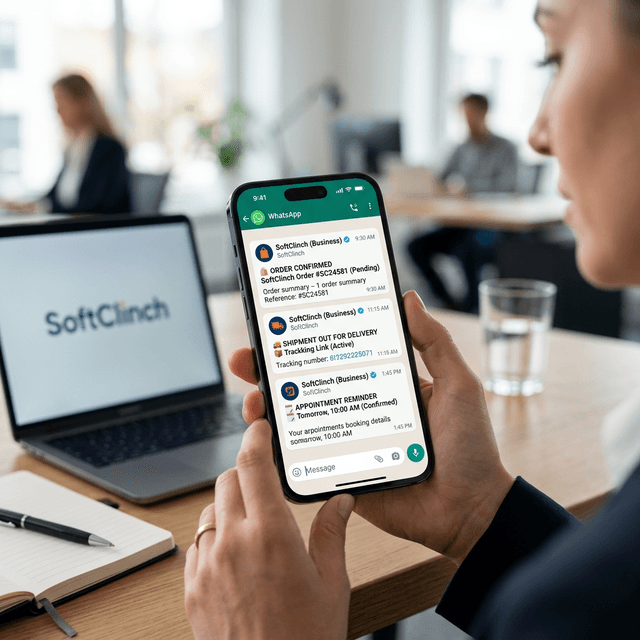
Utility messages are the backbone of customer trust. From order confirmations to appointment reminders, these operational notifications keep your customers informed and reduce support overhead.

Automating Beyond the Basics

With Inaiwazhi, utility messaging isn't just about sending a text. It's about creating a living record of every customer interaction. Track delivery status, maintain audit logs, and ensure your communication is as reliable as your service.

Conclusion: Trust is the New Currency

In a digital world, reliability wins. Automating your utility messages ensures every customer feels heard and informed, building the long-term trust that drives repeat business.
Why Utility Messaging Matters

Reduced Support Load

Automate answers to 'Where is my order?' or 'When is my appointment?' before the customer even asks.

Instant Verification

Provide immediate peace of mind with purchase confirmations and payment alerts delivered seconds after the event.

Increased Reliability

Move away from unreliable email notifications and reach customers where they are active 24/7.

Enhanced Experience

Proactive communication makes your business feel premium, professional, and customer-first.

Common Utility Use Cases

Map these automated flows to your existing business processes for instant impact.

1

Order Confirmations

Trigger a detailed summary of the purchase immediately after a customer checks out.

2

Shipping Updates

Keep customers in the loop with real-time tracking links as their package moves.

3

Appointment Reminders

Send automated alerts 24 hours and 1 hour before a scheduled meeting or service.

4

Payment Alerts

Notify users of successful transactions or pending dues to maintain clear financial records.

Optimizing Your Utility Flow

Utility messages should be clear, concise, and focused on providing value.

Concise Content

Keep messages focused on the facts. Avoid promotional fluff in utility-category messages.

Personalization

Include specific details like Order ID, Appointment Time, or Customer Name for clarity.

Optimal Timing

Send alerts the moment they happen. For reminders, pick times when users are likely to be planning their day.

Clear Call-to-Action

If the user needs to do something (like track a package), provide a clear, easy-to-click button.

Inaiwazhi Insider Tip

Start with simple automation workflows like welcome messages and FAQs before implementing complex chatbot scenarios. This helps you understand customer needs and refine your approach.

Scale Your Business with inaiWAzhi

Ready to Transform Your Customer Communication?

Join thousands of businesses using inaiWAzhi to automate WhatsApp conversations, increase sales, and deliver exceptional customer experiences at scale.

No credit card required • 7-day free trial • Cancel anytime

Support

Frequently Asked Questions

Find quick answers to common questions about WhatsApp Automation

Conversation

0 Comments

Leave a reply

* Use the same email to edit or delete your comments.

No comments yet

Be the first to share your thoughts!

Get Exclusive Marketing Tips

Join 10,000+ marketers receiving expert insights and automation strategies for WhatsApp.

Privacy first. No spam, unsubscribe anytime.