Key Takeaways from this Article
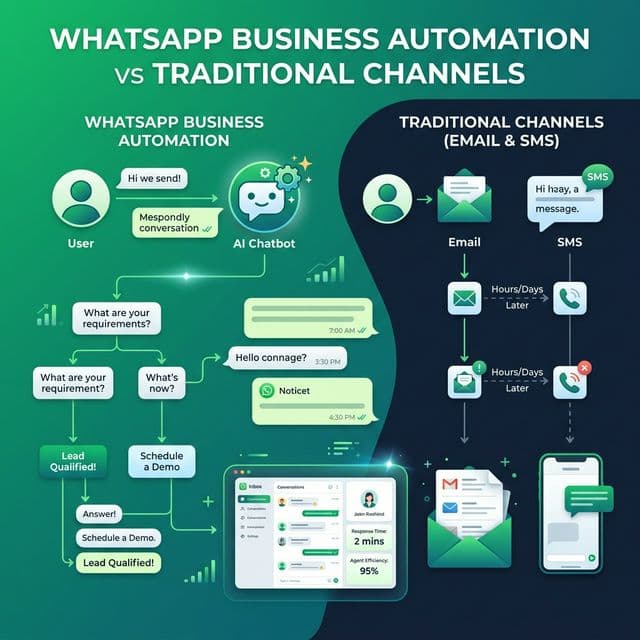
- Discover why traditional Email & SMS channels are giving way to conversational WhatsApp automation.
- Learn how instant lead qualification converts hot prospects before they switch to competitors.
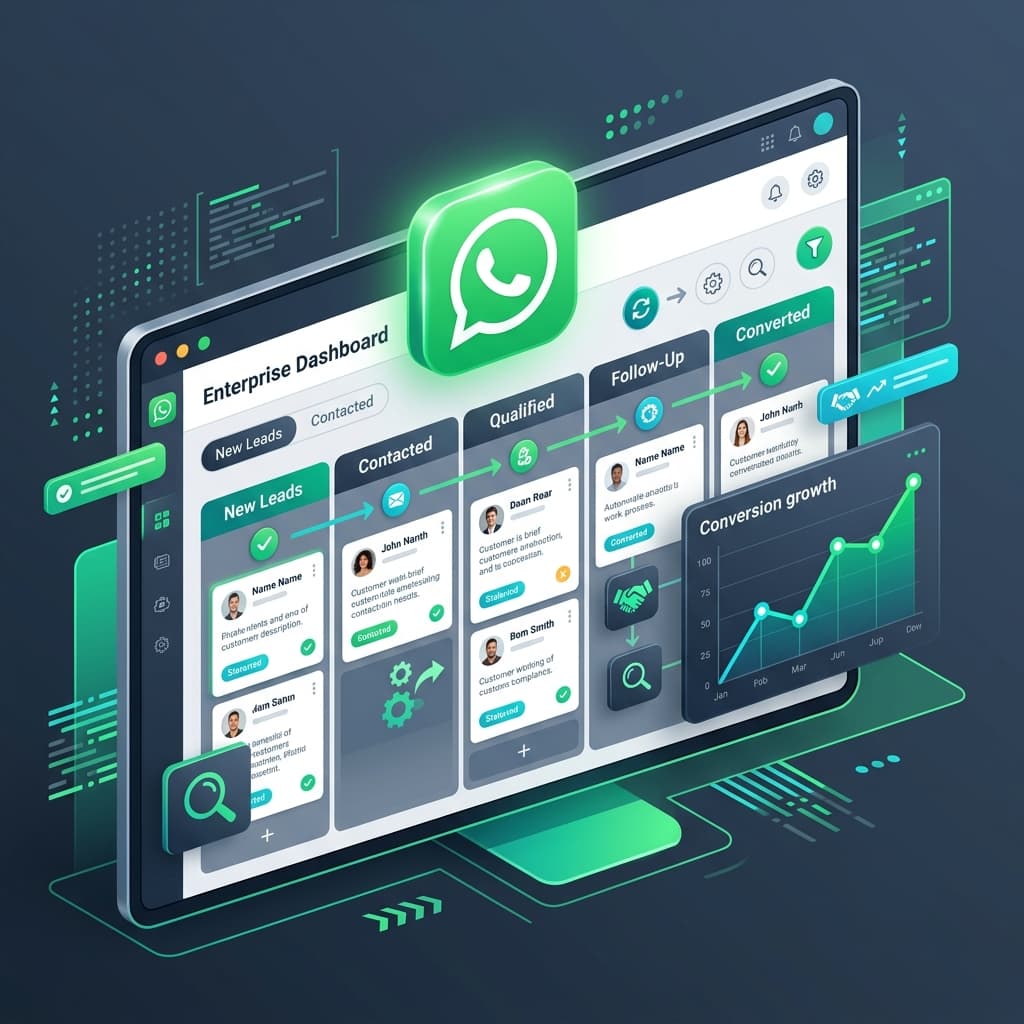
- Explore the comparison between manual WhatsApp handling and automated visual workflows.
- Understand the 5 essential WhatsApp automation workflows every business can deploy today.
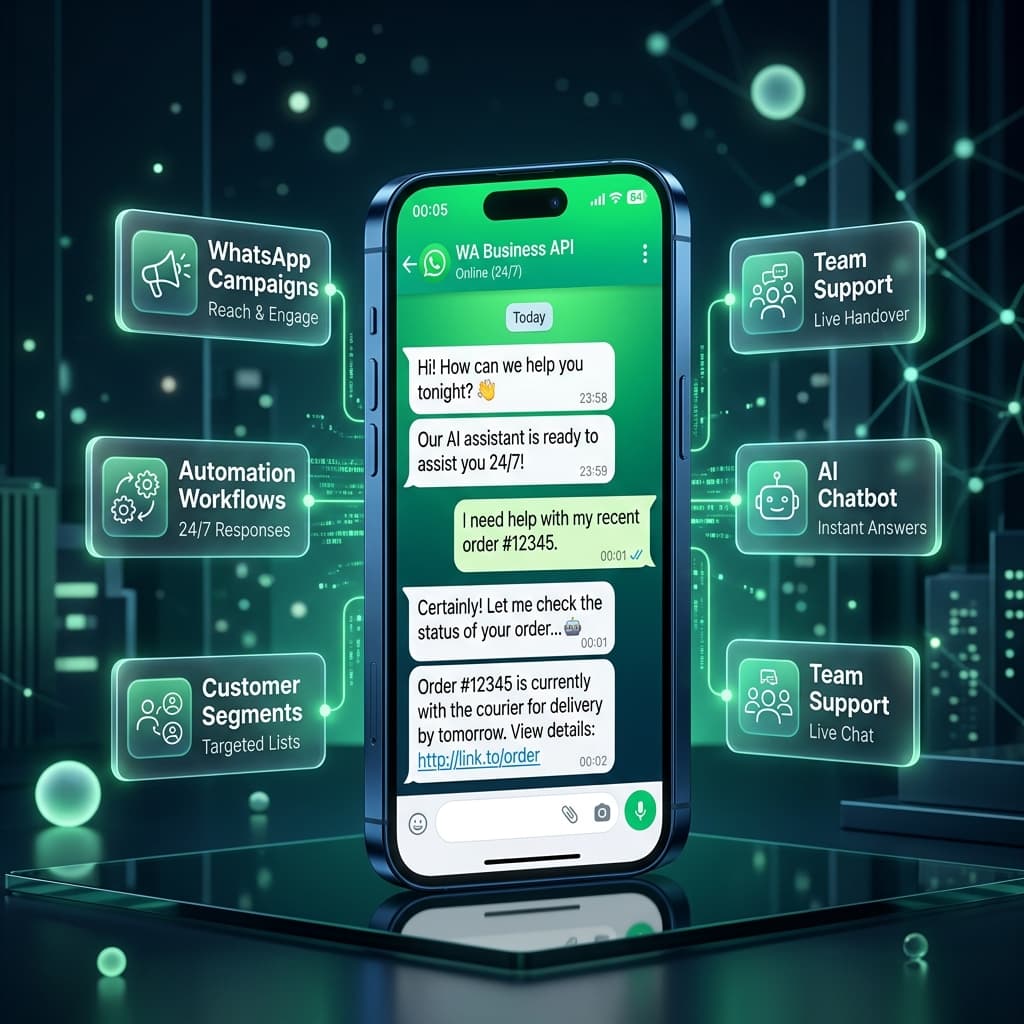
- See how Inaiwazhi connects Meta Cloud API, AI chatbots, customer segmentation, and human agent handoff into one platform.
Your customers aren't necessarily ignoring your business. They're simply overwhelmed by the number of places competing for their attention.
Emails get buried in crowded inboxes. SMS messages can be overlooked. Phone calls often go unanswered. And when a customer finally sends a message, a delayed response can mean a lost opportunity.
This is why businesses are increasingly moving customer conversations to WhatsApp.
Instead of treating communication as a one-way message, WhatsApp allows businesses to create an ongoing conversation—from the first enquiry to lead qualification, customer support, follow-ups and post-purchase communication.
With Inaiwazhi, businesses can turn these conversations into automated workflows while keeping human agents involved when they're needed.
Why WhatsApp Is Becoming a Business Communication Channel
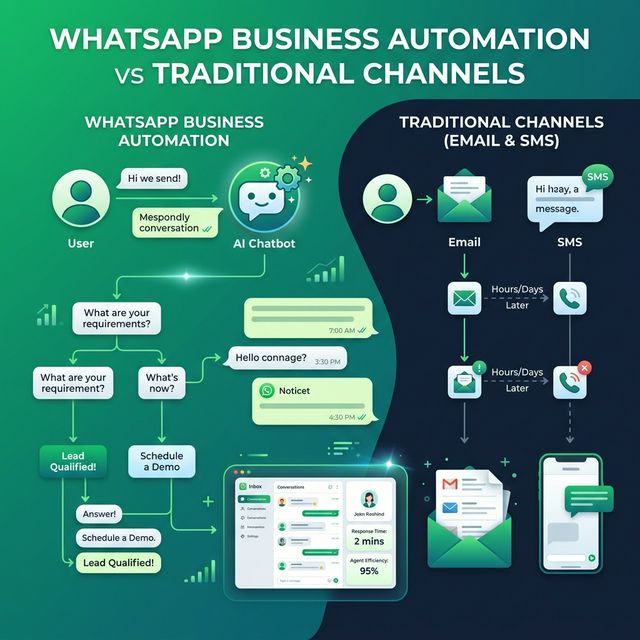
Customers already use WhatsApp every day to communicate with friends, family and businesses.
That familiarity makes it different from traditional marketing channels. A customer can receive a message, reply, share an image or document, ask a question and continue the conversation without switching to another platform.
For businesses, this creates an opportunity to move from:
Send → Wait → Follow up
to:
Message → Respond → Qualify → Assist → Convert
This is the foundation of conversational business automation.
The Problem With Manual Customer Follow-Ups
Imagine a customer submits an enquiry at 10:00 AM. The lead enters your CRM. A salesperson notices it at 11:30 AM. They call the customer. There is no answer. They try again later. Meanwhile, the customer has already contacted another business.
The problem isn't necessarily your sales team. It's the delay between customer intent and business response.
Manual processes become even harder when a business receives dozens or hundreds of enquiries every day. Teams may need to:
- Send the same welcome message repeatedly
- Ask the same qualification questions
- Share pricing or product information
- Collect customer details
- Send appointment reminders
- Answer repetitive FAQs
- Follow up with inactive leads
- Route complex conversations to the right employee
These tasks are repetitive, but they still consume valuable human time. That's where automation becomes useful.
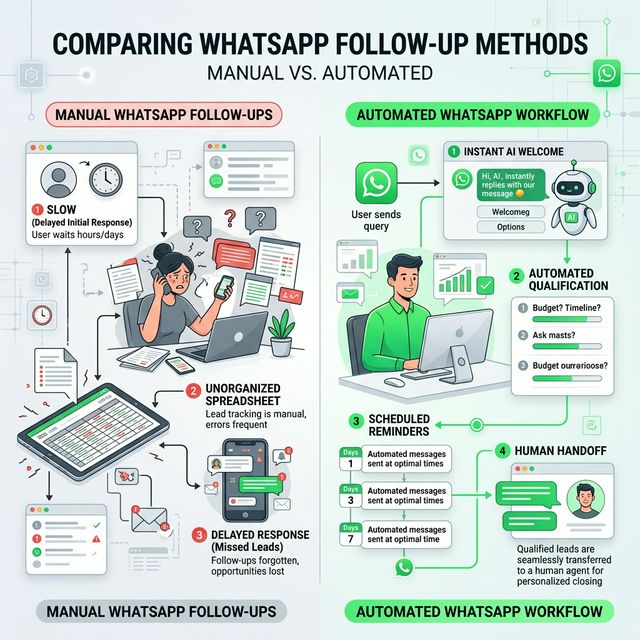
Manual WhatsApp vs Automated WhatsApp Workflows
Here is how key customer touchpoints change when shifting from manual chat handling to visual automated workflows:
The goal isn't to replace your team.
The goal is to remove repetitive work so your team can focus on conversations that actually require human attention.
5 WhatsApp Automation Workflows Businesses Can Use
1. Capture and Qualify New Leads
A customer clicks a WhatsApp button from your website, ad or social profile. Instead of a basic "Hi, how can we help?", automation collects details:
Customer: I need a website.
Automation: Great. What type of website?
Customer: E-commerce.
Automation: What's your project budget/timeline?
The sales team receives a warmer, more informed lead instead of starting from zero.
2. Automate Customer FAQs
Businesses repeatedly receive questions such as: Working hours? Location? Pricing? Order status? Required documents?
A WhatsApp automation system handles routine questions instantly and allows a human agent to step in when the conversation becomes complex. This creates a hybrid AI-human customer experience.
3. Follow Up Without Constant Manual Work
Not every customer converts after the first chat. Some need reminders, catalogues, quotations, or time. Instead of employees remembering every follow-up, create structured workflows:
4. Send Relevant WhatsApp Broadcasts
Broadcasting doesn't mean sending the same message to everyone. Segment customer groups (recent buyers, repeat customers, inactive leads, high-value clients) so every broadcast is relevant.
Always follow Meta messaging policies and consent rules for business outreach.
5. Keep Humans in the Conversation
Automation works well for repetitive tasks. But when a customer asks "Can I speak to someone about my existing order?", human handoff takes over cleanly without forcing the customer to repeat themselves. The ideal model: Automation handles routine. Humans handle the important.
What Makes WhatsApp Automation Different From Traditional Marketing?
Traditional marketing often follows a broadcast model:
Business → Message → Customer
Conversational automation changes the model:
Business → Message → Customer → Reply → Workflow → Human → Conversion
The customer isn't simply receiving information; they're participating in the process. This makes WhatsApp particularly useful for industries where conversations drive buying decisions, including Real Estate, Education, E-commerce, Healthcare, Financial Services, Travel, Local Services, Professional Services, Retail, and B2B Sales.
WhatsApp Cloud API vs Unofficial Automation
Businesses looking to automate WhatsApp often encounter unofficial tools that rely on methods designed around WhatsApp Web. These approaches can introduce operational and account risks, leading to sender number restrictions or bans.
For businesses building a serious customer communication system, an official WhatsApp Business Platform (Cloud API) setup provides a scalable, compliant foundation for:
- Automated notifications and order updates
- Interactive customer conversations
- Approved Meta message templates
- Structured lead qualification workflows
- CRM and system integrations
- Multi-agent customer support
Where Inaiwazhi Fits In
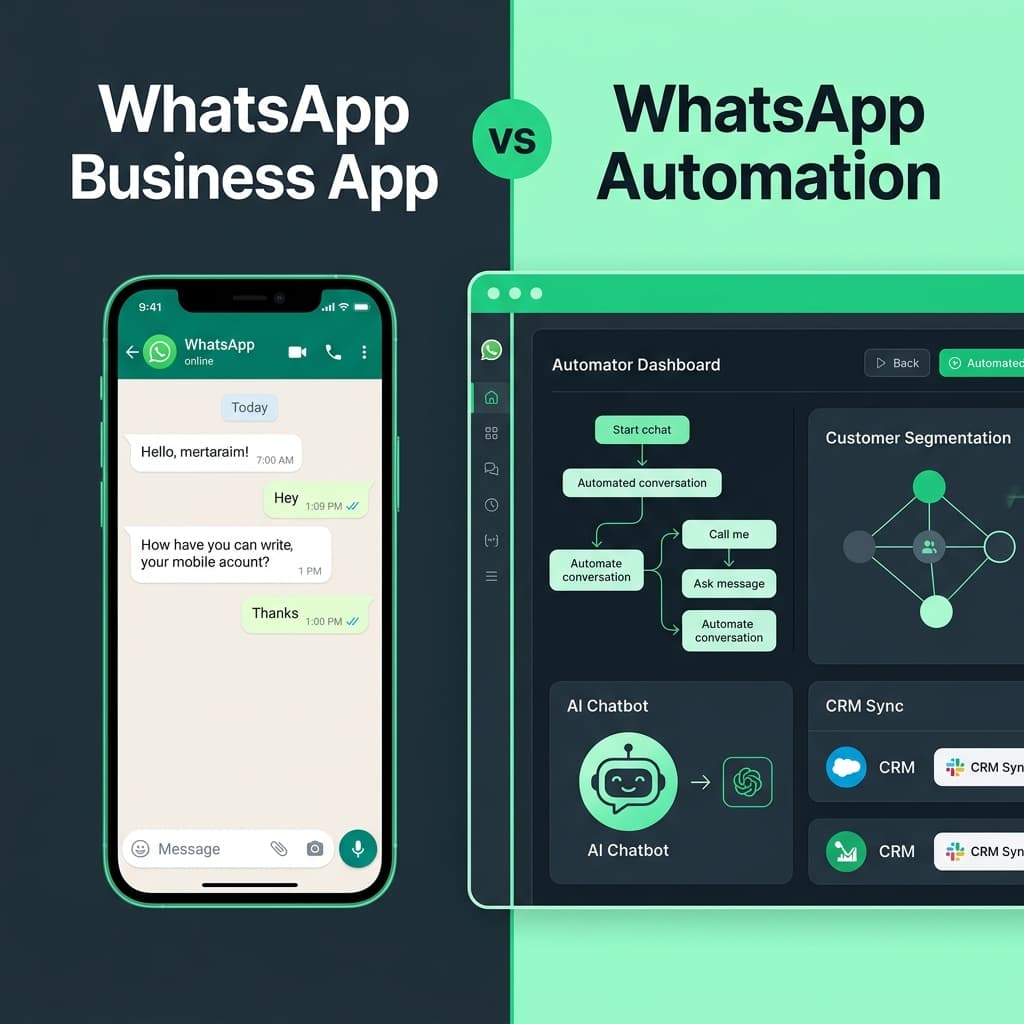
This is where Inaiwazhi brings the different parts of WhatsApp business communication together. Instead of managing separate tools for contacts, messaging, automation, customer conversations and AI, businesses can use Inaiwazhi as a centralized WhatsApp automation platform.
The platform is designed around a simple idea: Turn WhatsApp conversations into repeatable business workflows.
From First Message to Customer: The Complete Journey
- Step 1 — Discovery: Customer sees your advertisement, website button, or social media profile.
- Step 2 — Conversation Begins: Instead of filling out a form, they start a 1-on-1 WhatsApp chat.
- Step 3 — Automation Responds: System immediately acknowledges the enquiry 24/7.
- Step 4 — Information Collection: Workflow asks relevant qualification questions and captures details.
- Step 5 — Lead Qualification: Business identifies whether the customer is ready to buy or needs assistance.
- Step 6 — Human Agent Handoff: When complex assistance is needed, chat routes seamlessly to a human rep.
- Step 7 — Continuous Follow-Up: Structured workflows send reminders, updates, and post-purchase offers.
Who Can Benefit From WhatsApp Automation?
🏢 Real Estate
Automate property enquiries, lead qualification, site-visit coordination, and follow-ups.
🎓 Education
Handle course enquiries, admission questions, document collection, and reminders.
🛒 E-commerce
Send order updates, product information, support messages, and relevant offers.
💼 Professional Services
Capture enquiries, collect requirements, and route qualified leads to the right team.
🛍️ Retail
Reconnect with customers, share product info, and communicate relevant offers.
🛠️ Service Businesses
Automate appointment confirmations, reminders, FAQs, and customer follow-ups.
Automation Doesn't Mean Losing the Human Touch
One of the biggest misconceptions about automation is that customers want to talk to a machine. They don't. They want fast answers, relevant information, and when their problem is complicated, they want a real person.
The Future of Business Communication Is Conversational
Websites gave businesses a digital storefront. Search engines gave customers a way to discover businesses. Social media created new attention channels. WhatsApp is now becoming another important layer: the conversation layer.
Businesses can use that layer to connect marketing, sales, and customer support around a single communication channel. The opportunity isn't simply sending more messages—it's creating better customer journeys.
Start Building Your WhatsApp Automation Workflow
If your team is still manually answering the same questions, following up with leads one by one or sending repetitive updates, it's worth looking at what can be automated.
Inaiwazhi helps businesses bring WhatsApp messaging, automation, AI-assisted conversations and human support into one workflow.
Which parts of your customer journey should happen automatically?
Explore Inaiwazhi and see how your business can turn everyday WhatsApp conversations into automated workflows.
Conversation
0 Comments
Leave a reply
No comments yet
Be the first to share your thoughts!