WhatsApp Automation That Keeps Customer Conversations Moving
Automatically respond, follow up, remind, notify, and reconnect with customers based on what they do — while your team steps in when a human conversation is needed.
Stop Manually Tracking Every Customer Follow-Up
When hundreds or thousands of customers are involved, small manual follow-up tasks become impossible to track without errors.
A customer sends an enquiry.
First touchpoint captured instantly.
Your team replies.
Initial response sent manually or via template.
Then someone needs to remember to follow up tomorrow.
Risk of forgotten leads.
Another person needs to send the quotation.
Delayed file dispatches.
Someone else checks whether the customer purchased.
Manual CRM verification.
Later, another reminder needs to be sent.
Repetitive daily tracking.
Inaiwazhi connects customer actions into automated WhatsApp conversations.
Customer Does Something. WhatsApp Does the Next Step.
WhatsApp automation becomes simple when you look at it from the customer's perspective.
Customer Takes an Action
They send an enquiry, place an order, book an appointment, submit a form, make a payment, or stop responding.
Inaiwazhi Recognizes Situation
Customer information, activity, tags, status, or connected business data determine what happens next.
Right Message Sent
Send a reply, reminder, notification, follow-up, offer, or update automatically via WhatsApp API.
Customer Responds
If the conversation needs a person, your team can seamlessly take over without losing context.
Next Step Continues
The customer's response or activity triggers another intelligent action in the workflow loop.
See How WhatsApp Automation Works in Real Businesses
Select an industry below to view the automated customer journey pipeline.
E-commerce
Customer adds a product but doesn't purchase
Cart activity
User drops off at checkout
WhatsApp reminder
Automated 15-min notification
No purchase? Follow-up
Send 10% coupon code
Order placed? Confirmation
Send receipt & invoice
Order shipped? Tracking
Live GPS tracking link
Delivered? Review request
Automated feedback survey
Manage Customers Based on What They Do
Automation works better when your business understands the customer behind the message.
Organize Contacts
Keep customer information organized so your team can quickly understand who they are communicating with.
Create Customer Segments
Group customers based on stage, interests, purchases, location, engagement, or business status.
Add Tags
Use simple labels such as New Lead, Interested, Payment Pending, Customer, VIP, Follow-up Required, or Support Required.
Personalize Communication
Use relevant customer info such as name, order, appointment, product, location, or enquiry.
Target the Right Customers
Send relevant communication to people who actually need it instead of broadcast blasting everyone.
Trigger Relevant Actions
Automatically start the next communication when a customer performs a specific action.
Manage Customer Relationships
Give your team the complete context they need before continuing any customer conversation.
Hi! Is my order #ORD-9821 confirmed? Can I get payment details on WhatsApp?
10:42 AMHi! Is my order #ORD-9821 confirmed? Can I get payment...
Hi Ramya! 👋 Your items are reserved. Please tap below to complete your payment securely via UPI:
Automation + Your Team
Automation Handles the Repetitive Work. Your Team Handles the Important Conversations.
Automation should not mean removing people from customer communication.
Let Automation Handle:
- Instant replies
- Routine questions
- Follow-ups
- Appointment reminders
- Payment reminders
- Order updates
- Booking notifications
- Customer re-engagement

Let Your Team Handle:
- Complex questions
- Negotiations
- Complaints
- High-value leads
- Special requests
- Sensitive conversations
- VIP lead onboarding
- Custom contract terms
✨ Result: The customer gets speed without losing the human connection.
WhatsApp Campaigns WhatsApp Automation
If you are sending WhatsApp messages to customers, choosing the right approach matters.
WhatsApp Campaigns
Outbound Audience Broadcasts
- Choose a targeted audience list
- Send scheduled promotional broadcasts
- Promote seasonal offers & product announcements
- One-to-many marketing communications
“I want to send this offer to these specific customers today.”
WhatsApp Automation
Real-Time Event Workflows
- Reacts automatically based on customer actions
- Starts continuous automated customer journeys
- Sends instant replies, follow-ups & appointment reminders
- Seamlessly hands off complex chats to human team
“When a customer performs an action, automatically guide them through the next step.”
Powerful WhatsApp Automation Features
Visual node-based workflow builder — connect triggers, AI logic, conditions, and WhatsApp messaging in real-time.
Inaiwazhi Lead Automation Engine
ACTIVE ENGINETRIGGER • AI AGENT WORKFLOW BUILDER
1. Form Submitted
On 'Create Lead' Form Submission in CRM
2. Inaiwazhi AI Agent
3. Smart Delay
4. Condition: VIP?
5. Send VIP Offer
WhatsApp VIP Offer Sent & Assigned to Sales Inbox
One Customer Journey Multiple Business Actions
A single customer moves through 6 continuous automated stages on WhatsApp.
Continuous WhatsApp Automation Engine
Automatically nurture, convert, retain, and re-engage every contact 24/7.
Awareness
Engagement
Evaluation
Purchase
Experience
Bonding
Built for Different Business Teams
Empower every department to automate repetitive conversations and scale operations.
Sales
Capture enquiries, qualify leads, follow up, and move prospects toward a purchase.
Customer Support
Answer routine questions, organize conversations, and route complex requests to staff.
Marketing
Reach relevant customers and reconnect with customers based on their activity.

Operations
Send order, booking, payment, delivery, and service updates automatically.
Customer Success
Keep customers informed after purchase and encourage continued engagement.
WhatsApp Automation for Your Industry
Inaiwazhi powers tailored WhatsApp communication workflows across diverse industries:
E-commerce & Retail
Orders, cart recovery, delivery updates, and customer follow-ups.
Education
Admissions, student communication, fee reminders, class updates, and parent communication.
Healthcare
Appointments, reminders, patient updates, and follow-ups.
Travel & Tourism
Enquiries, bookings, payments, itineraries, and travel updates.
Real Estate
Property enquiries, brochures, site visits, and sales follow-ups.
Why Businesses Automate WhatsApp Communication
Compare traditional manual customer management with Inaiwazhi automated workflows.
Without Automation
- ✕Staff remember follow-ups manually on paper or spreadsheets
- ✕Customers wait hours or overnight for basic enquiries
- ✕Important appointment & payment reminders get missed
- ✕Customer information is scattered across personal staff phones
- ✕Repetitive questions copy-pasted manually every day
- ✕Teams have zero visibility into ongoing customer chats
- ✕High percentage of valuable leads go cold without response
With Inaiwazhi Engine
- ✓Follow-up journeys happen automatically 24/7 on exact schedules
- ✓Customers receive immediate replies in less than 2 seconds
- ✓Reminders, order receipts & booking alerts sent automatically
- ✓All customer context & tags centralized in unified team inbox
- ✓Repetitive customer steps 100% automated by AI workflows
- ✓Sales, support & operations work with full shared visibility
- ✓Continuous automated loops keep every lead engaged to conversion
From First Message to Long Term Customer
Build the automated workflow once. Let it run continuously as customers move forward.
Frequently Asked Questions
Find answers to common questions about our platform. If you have any other questions, feel free to reach out to our support team.
Stop Manually Tracking Every Customer Follow-Up
Let WhatsApp Handle the Next Step.
Automate routine communication, keep your customers informed, and let your team focus on conversations that need a human touch.
See how Inaiwazhi can fit your business workflow.
Workflow Automation Guides
Learn how smart workflows can save your team thousands of hours.

End the Chaos: 3 Ways Inaiwazhi Organizes Your Support Team and Customer Inbox
Learn how Inaiwazhi brings structure to customer communication using Team Inbox, Tags & Labels, and Unified Customer View.
Transform Ad Clicks into Qualified Leads with Click-to-WhatsApp Ads
In today’s digital marketing landscape, turning ad clicks into qualified leads is more crucial than ever. Click-to-WhatsApp Ads enable instant communication, improve lead qualification, and increase conversions.
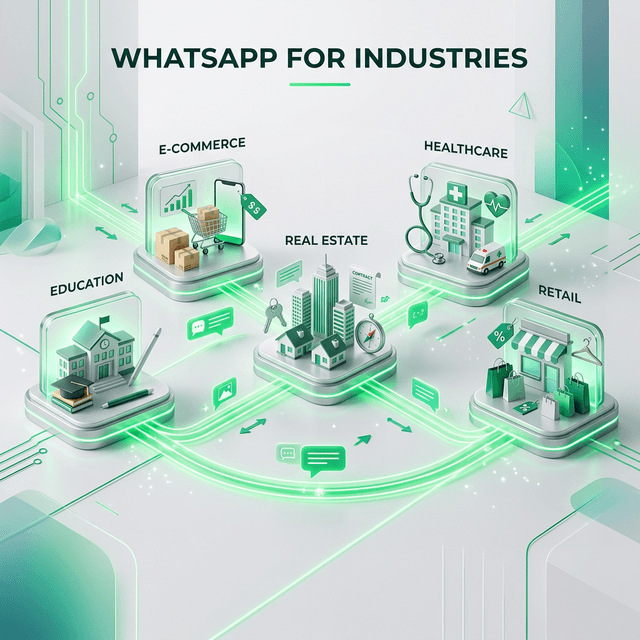
Top Industries That Benefit from WhatsApp Marketing Automation
Not all industries require the same level of automation. Discover the sectors where WhatsApp marketing automation delivers the highest impact and ROI.