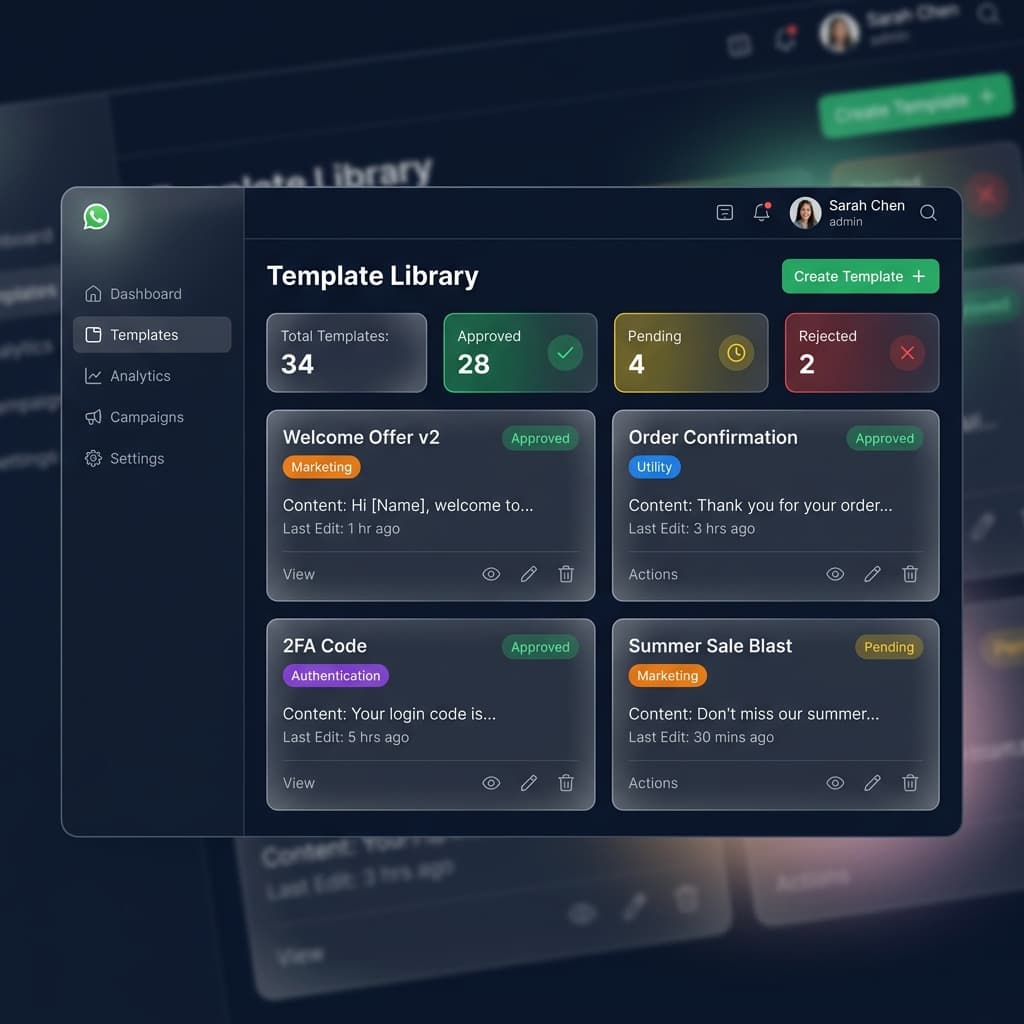
How to Create a Template on Dashboard
From the left menu, go to Templates → All Templates, and click the Create Template button.
General Information
Use clear, lowercase names with underscores (e.g., order_update). Choose the correct language based on your audience, and select the right category (Marketing, Utility, or Authentication).
Content Type Options
You can customize how your message appears:
- Text: Simple message with variables like
Hello {{1}}. - Media: Add image, PDF, or video for product promotions.
- List Picker: Customer selects from options (e.g., Book Appointment).
- Call to Action: Clickable buttons like Visit Website or Call Now.
- Carousel & Catalog: Swipe multiple cards/products.
Inaiwazhi Insider Tip
Start with 3 core templates first: 1) Welcome template, 2) Offer template, and 3) Order/utility template. Then scale advanced campaigns.


Conversation
0 Comments
Leave a reply
No comments yet
Be the first to share your thoughts!