Key Takeaways from this Guide
- Why Meta enforces strict messaging policies on WhatsApp Business
- How automated AI and customer reports detect policy violations
- 15 detailed reasons why Meta suspends or blocks business accounts
- Key warning signs to watch before suspension occurs
- Step-by-step recovery process to unblock your account
- How Inaiwazhi helps businesses maintain 100% policy compliance
WhatsApp has become one of the most trusted communication channels for businesses. Millions of companies use the WhatsApp Business Platform to connect with customers, send updates, provide support, and drive sales. To maintain user trust and protect the platform from spam, Meta enforces strict policies. Businesses that fail to follow these rules may face messaging restrictions, reduced messaging quality, or even account suspension.
If your business depends on WhatsApp for customer communication, understanding why Meta blocks WhatsApp Business accounts is essential. This comprehensive guide explains the most common reasons for suspension, warning signs to watch for, recovery options, and best practices to keep your account compliant.
Why Does Meta Suspend WhatsApp Business Accounts?
Meta's primary goal is to create a safe, reliable, and trustworthy messaging platform for users worldwide. Every day, billions of messages are exchanged on WhatsApp, making security and user experience a top priority.
Businesses that misuse the platform—whether intentionally or unintentionally—can face restrictions or permanent suspension. Common issues include sending spam, messaging customers without consent, using unauthorized software, or violating Meta's Business Messaging and Commerce Policies.
Instead of waiting for customer complaints, Meta continuously monitors business accounts through automated systems, quality ratings, customer feedback, and manual reviews. If your account is identified as high-risk, messaging limits may be reduced or the account may be suspended entirely.
How Meta Detects Policy Violations
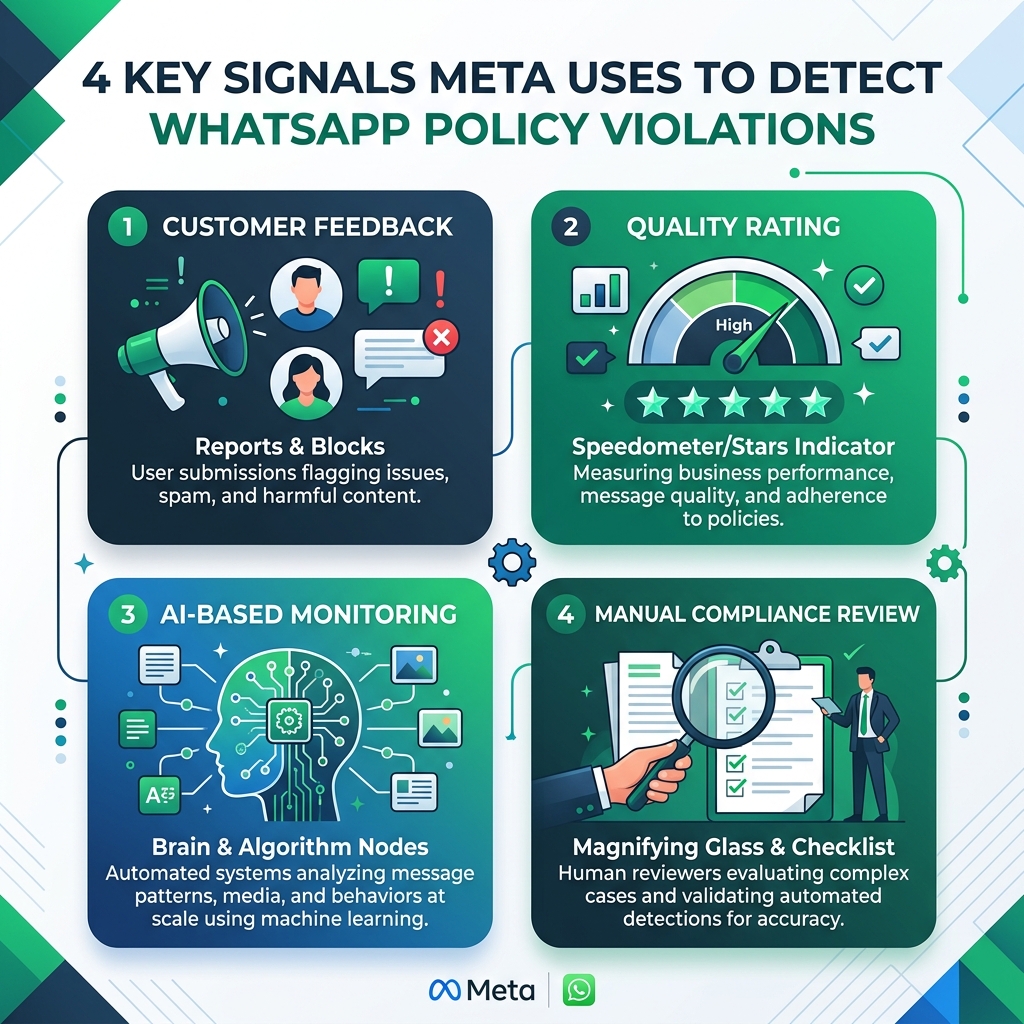
Meta evaluates WhatsApp Business accounts using several key signals:
- 1. Customer Feedback: Users can block, report, or mute businesses. A high number of negative interactions indicates that customers do not find your messages useful.
- 2. Quality Rating: Every business receives a quality rating based on customer engagement and feedback. A consistently low rating increases the likelihood of messaging restrictions.
- 3. AI-Based Monitoring: Meta uses advanced machine learning systems to analyze messaging behavior, sending frequency, account activity, and unusual patterns that may indicate spam.
- 4. Manual Compliance Reviews: Accounts with repeated violations or appeals may be manually reviewed by Meta's compliance team before a final decision is made.
15 Common Reasons Meta Blocks WhatsApp Business Accounts
1. Sending Messages Without Customer Consent
The most common reason businesses get blocked is sending messages without obtaining explicit customer permission.
Examples include: Purchasing contact lists, scraping phone numbers, importing customer databases without consent, and messaging people who never requested communication.
Best Practice: Always collect opt-ins through website forms, QR codes, WhatsApp Click-to-Chat links, checkout pages, SMS confirmations, and email subscriptions.
2. Sending Spam Messages
Customers use WhatsApp for personal conversations, not unwanted advertisements. Sending repetitive promotions, excessive offers, or irrelevant broadcasts often results in spam reports (e.g., daily promotional campaigns, flash sales every few hours, repetitive marketing content).
3. High Customer Blocking Rate
If recipients frequently block your business after receiving messages, Meta considers your communication poor quality. Common triggers include too many promotional messages, poor audience targeting, irrelevant content, and excessive notifications.
4. High Spam Report Rate
Customers can report businesses as spam with a single tap. Repeated reports significantly reduce your quality rating and increase the risk of suspension.
5. Using Unauthorized Automation Software & Unofficial Bulk Senders (High Suspension Risk)
Using unauthorized automation tools, web scrapers, or modified WhatsApp applications (such as GB WhatsApp or unauthorized Chrome extensions) is the primary trigger for permanent account suspension under Meta's Unauthorized Automation Policy. To reduce account suspension risks when running automated workflows and broadcasts, businesses must use an official Meta WhatsApp Cloud API solution like Inaiwazhi's bulk broadcast platform.
6. Violating WhatsApp Commerce Policy
Meta prohibits selling or promoting certain products through WhatsApp. Restricted categories include illegal products, weapons, ammunition, adult products, gambling services, tobacco products, counterfeit goods, and recreational drugs.
7. Violating Meta Business Messaging Policy
Businesses must communicate honestly and transparently. Violations include fake business identities, misleading promotions, false claims, phishing attempts, or improperly collecting sensitive customer information.
8. Sending Too Many Messages Too Quickly
A sudden increase in outbound messaging volume can trigger Meta's automated security systems. Instead of sending thousands of messages immediately after activating your account, gradually increase volume while maintaining high engagement.
9. Low Quality Rating
Meta continuously evaluates customer satisfaction. Quality ratings generally fall into High, Medium, or Low. A consistently low rating can lead to reduced messaging limits, template restrictions, or account suspension.
10. Incorrect Business Information
Providing inaccurate or misleading business details may trigger verification issues. Ensure your business name, website, contact details, email address, and category are accurate and consistent across all Meta Business assets.
11. Excessive Promotional Messaging
Businesses should avoid using WhatsApp solely as an advertising channel. Instead, balance promotional content with valuable transaction updates such as order confirmations, shipping updates, appointment reminders, and customer support.
12. Message Template Violations
Before initiating conversations, businesses must use Meta-approved message templates. Templates may be rejected for promotional abuse, misleading wording, policy violations, or incorrect variable formatting.
13. Suspicious Login Activity
Meta monitors account security. Logging in from multiple countries, unknown devices, or unusual IP addresses may trigger security restrictions. Improve security by enabling two-factor authentication and limiting administrator access.
14. Repeated Policy Violations
Even small policy violations accumulate over time. Businesses that repeatedly ignore Meta's guidelines face a significantly higher risk of permanent suspension.
15. Low Customer Engagement
If customers consistently ignore your messages, never reply, or frequently opt out, Meta may classify your communication as low quality. Improve engagement by personalizing messages and targeting relevant audiences.
Warning Signs Before Your Account Gets Blocked
Watch for these critical warning signs to prevent unexpected suspension:
- Declining quality rating (dropping from High to Medium or Low)
- Frequent message template rejections
- Reduced messaging limits in Meta Manager
- Increased customer blocks and spam report alerts
- Warnings in WhatsApp Manager
- Failed message deliveries
What Happens If Meta Blocks Your WhatsApp Business Account?
A blocked account experiences severe operational disruptions:
- Inability to send new messages or engage prospects
- Broadcast campaigns stopping immediately
- Automation workflows and chatbot triggers failing
- Customer support interruptions
- Reduced customer trust and lost business opportunities
How to Recover a Blocked WhatsApp Business Account
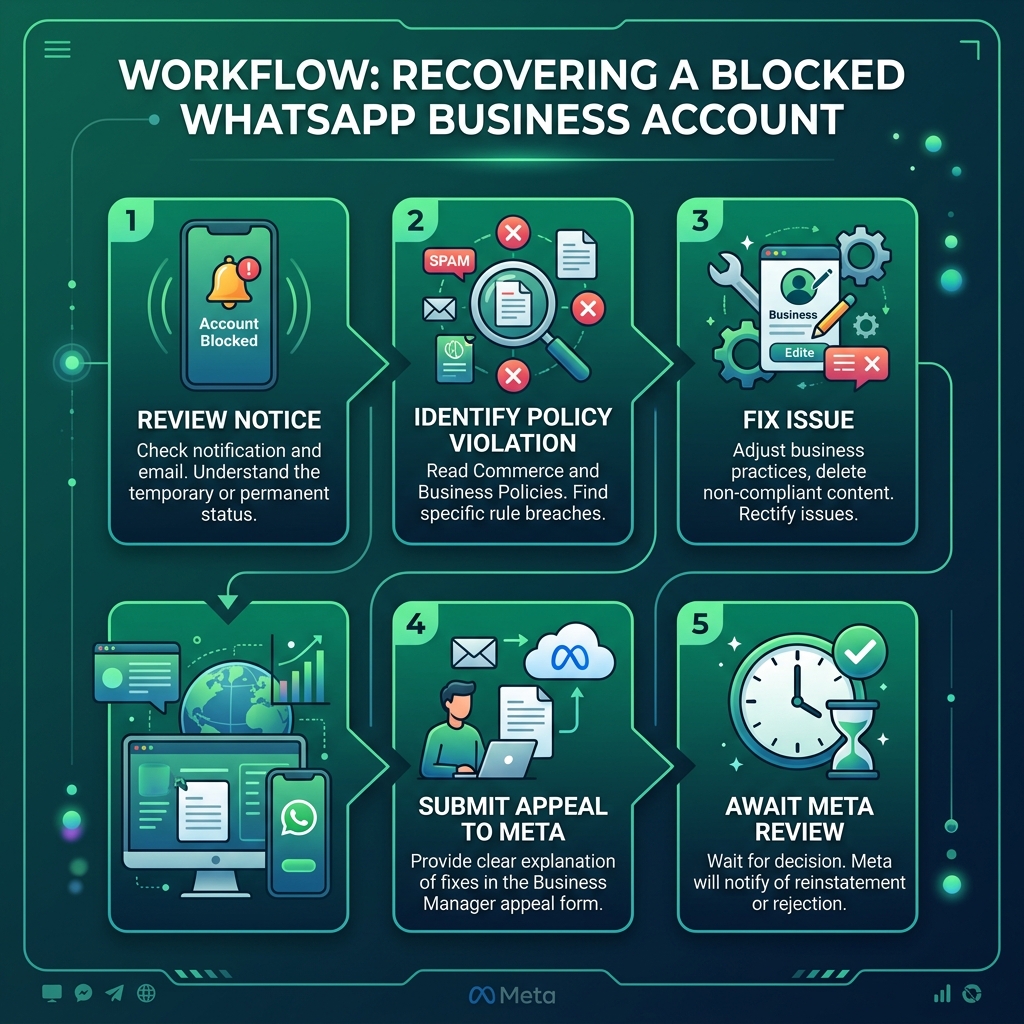
If your account has been restricted, follow these steps:
- Step 1: Review the suspension notice in WhatsApp Manager.
- Step 2: Identify the policy violation that caused the restriction.
- Step 3: Correct the issue (e.g., remove unconsented contacts, fix template compliance).
- Step 4: Submit an official appeal through Meta Business Support.
- Step 5: Wait for Meta's review. Provide accurate information and explain corrective actions taken. Avoid creating duplicate accounts to bypass restrictions.
Best Practices to Prevent Suspension
- Obtain explicit customer consent before messaging.
- Use only the official WhatsApp Business Platform (API).
- Send valuable, relevant, and personalized messages.
- Avoid excessive promotional broadcasts.
- Respect customer opt-out requests immediately.
- Monitor your account quality rating regularly.
- Use approved message templates.
- Keep your business information updated.
- Review Meta's Business Messaging Policy regularly.
- Train your team on WhatsApp compliance.
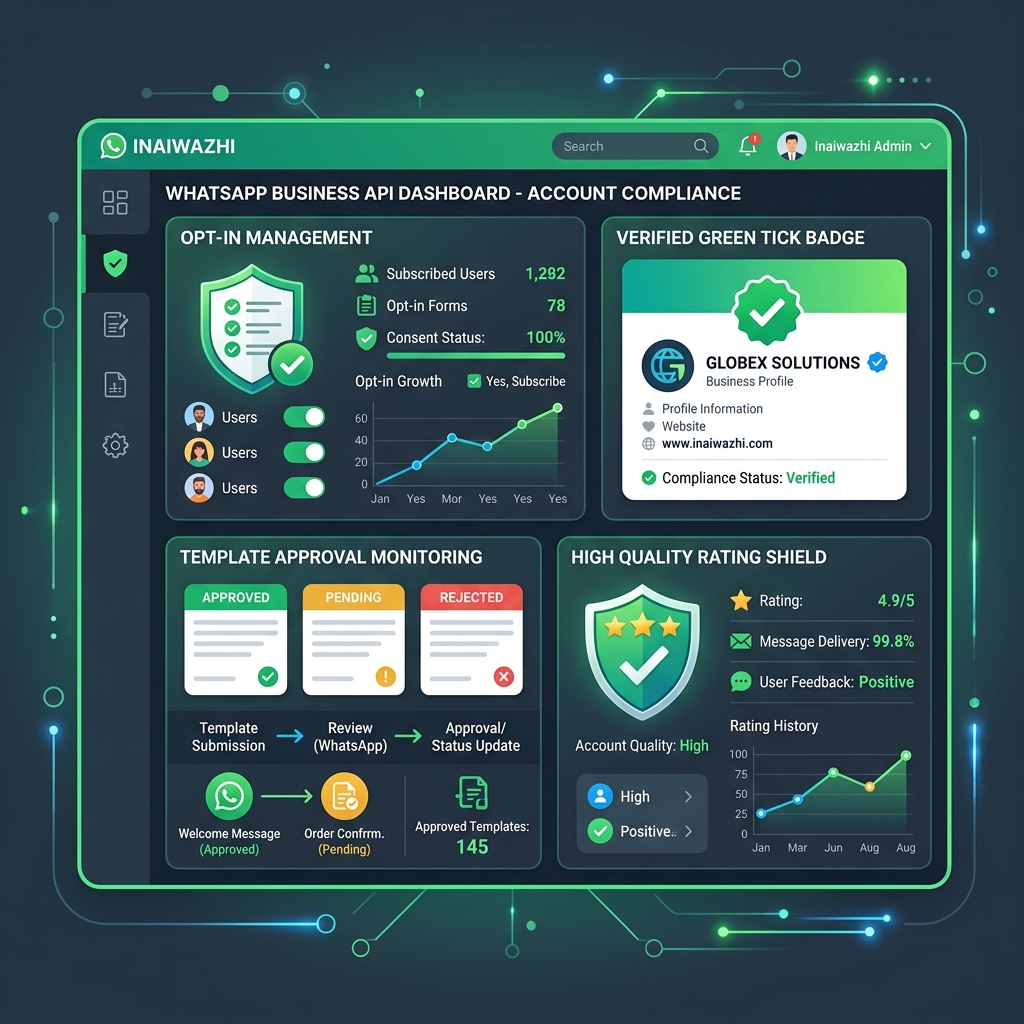
How Inaiwazhi Helps Businesses Stay Compliant
Growing your business on WhatsApp requires more than automation—it requires compliance with Meta's policies. Inaiwazhi is built on the official WhatsApp Business API and helps businesses communicate with customers safely and efficiently.
With Inaiwazhi, you can:
- Use the official WhatsApp Business API (Meta Cloud API).
- Manage customer opt-ins and opt-outs effectively.
- Create and submit compliant message templates with high approval rates.
- Automate customer conversations without violating Meta policies.
- Monitor messaging performance and quality ratings in real-time.
- Reduce the risk of account suspension and scale with confidence.
Frequently Asked Questions
Why did Meta block my WhatsApp Business account?
Common reasons include messaging customers without consent, receiving high spam reports, using unauthorized software (like GB WhatsApp), or violating Meta's Business Messaging or Commerce Policies.
Can I recover a blocked WhatsApp Business account?
Yes. If the issue is correctable, you can resolve the violation and submit an appeal through Meta for review.
Does using unofficial WhatsApp apps cause suspension?
Yes. Using modified applications such as GB WhatsApp or WhatsApp Plus can result in immediate account restrictions or permanent suspension.
How can I improve my quality rating?
Send relevant messages, obtain explicit customer consent, avoid spamming, use approved templates, and respect customer opt-outs promptly.
Can Meta permanently ban my business account?
Yes. Serious or repeated policy violations may lead to a permanent ban from the WhatsApp Business Platform.
Final Thoughts
Meta's policies are designed to protect users and maintain trust across the WhatsApp ecosystem. Businesses that prioritize customer consent, deliver valuable communication, and follow platform guidelines are far less likely to experience restrictions.
If your goal is to automate customer communication while remaining fully compliant, Inaiwazhi provides a secure, scalable, and official WhatsApp Business API solution. From managing opt-ins and approved message templates to automating conversations and monitoring quality ratings, Inaiwazhi helps businesses build stronger customer relationships without risking account suspension.
Protect Your WhatsApp Account & Scale Safely
Automate customer communication, maintain 100% Meta compliance, and scale engagement with Inaiwazhi WhatsApp Business Platform.
Start 7-Day Free Trial

Conversation
0 Comments
Leave a reply
No comments yet
Be the first to share your thoughts!