Key Takeaways
- What WhatsApp API is and why businesses need it
- How WhatsApp Business API works under the hood
- Difference between WhatsApp, WhatsApp Business App, and Business API
- What a WhatsApp Business Tool is
- Key features of WhatsApp API
- Business benefits & industries using WhatsApp API
- Common use cases and why businesses are moving to WhatsApp automation
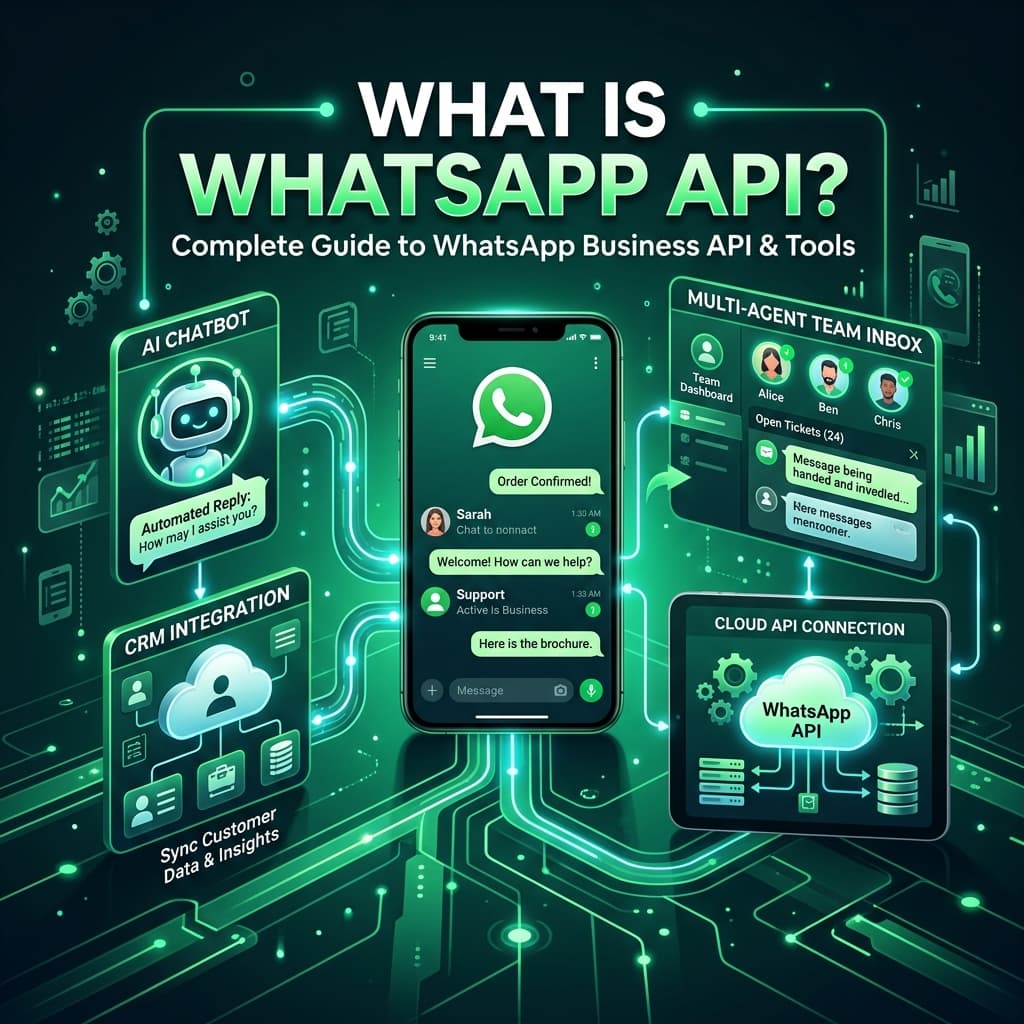
What is WhatsApp API?
Businesses today need more than just a messaging app—they need a platform that can automate conversations, connect with customers at scale, and integrate with their existing business systems. This is where the WhatsApp Business API comes in.
The WhatsApp API (Application Programming Interface) is the official messaging platform developed by Meta that enables medium and large businesses to communicate with customers securely through WhatsApp. Unlike the regular WhatsApp or WhatsApp Business App, the API is designed for automation, CRM integration, AI chatbots, shared team inboxes, and high-volume messaging.
With the WhatsApp Business API, companies can automate customer communication, send notifications, run marketing campaigns, provide customer support, and integrate WhatsApp into their existing business software.
Whether you're an e-commerce brand, healthcare provider, educational institution, logistics company, or enterprise organization, the API allows you to deliver personalized customer experiences while maintaining compliance with Meta's messaging policies.
What is an API?
Before understanding the WhatsApp API, let's first understand what an API actually is.
API stands for Application Programming Interface.
An API acts like a bridge that allows two different software applications to communicate with each other securely.
Think of it like a waiter in a restaurant:
- You place your order with the waiter.
- The waiter delivers the order to the kitchen.
- The kitchen prepares your food.
- The waiter brings your food back.
The waiter acts as the communication bridge.
Similarly, an API acts as the communication bridge between two software systems.
For example:
Every request travels through the API and returns the required response.
Without APIs, modern applications wouldn't be able to exchange data automatically.
Understanding the WhatsApp Business API
The WhatsApp Business API is the official communication platform offered by Meta that enables businesses to send and receive WhatsApp messages programmatically.
Instead of manually replying to every customer, businesses can automate conversations using software.
With WhatsApp API, businesses can:
- Send promotional campaigns
- Automate replies
- Deliver order updates
- Send payment reminders
- Share invoices
- Send OTP verification messages
- Track shipments
- Provide customer support
- Run AI chatbots
- Connect with CRM systems
- Automate lead nurturing
Unlike the WhatsApp Business App, the API does not have a user interface. It works through software platforms known as WhatsApp Business Solution Providers (BSPs) such as Inaiwazhi.
How Does WhatsApp API Work?
The communication process is simple:
• CRM
• Automation
• Team Inbox
• Analytics
The API enables secure, real-time communication between customers and businesses while supporting automation and integrations.
What is a WhatsApp Business Tool?
A WhatsApp Business Tool is software built on top of the official WhatsApp Business API that helps businesses manage customer communication without writing code.
Instead of interacting directly with the API, businesses use an intuitive dashboard to access powerful features such as:
- Broadcast campaigns
- AI chatbots
- Shared team inbox
- Workflow automation
- CRM integration
- Contact management
- Analytics
- API integrations
- Team collaboration
- Template management
Platforms like Inaiwazhi simplify WhatsApp automation by providing these capabilities through a user-friendly interface.
Why Businesses Need a WhatsApp Business Tool
Managing thousands of customer conversations manually is time-consuming and inefficient.
A WhatsApp Business Tool enables businesses to:
- Handle high volumes of conversations
- Respond faster
- Reduce manual work
- Improve customer satisfaction
- Increase sales
- Automate repetitive tasks
- Track performance
- Scale customer communication
It transforms WhatsApp into a complete customer engagement platform.
Core Features of a WhatsApp Business Tool
Broadcast Campaigns
Send personalized promotional messages to thousands of opted-in customers using approved templates.
AI Chatbots
Provide instant responses to frequently asked questions, qualify leads, and offer 24/7 customer support.
Shared Team Inbox
Allow multiple agents to collaborate on customer conversations from a single WhatsApp number.
Workflow Automation
Automate welcome messages, abandoned cart reminders, appointment confirmations, payment reminders, and follow-ups.
CRM Integration
Connect WhatsApp with CRM systems such as HubSpot, Zoho CRM, Salesforce, Pipedrive, and custom applications.
Contact Management
Organize customer contacts using tags, filters, and audience segmentation for more targeted communication.
Analytics & Reporting
Track message delivery, read rates, response times, conversions, and campaign performance with real-time dashboards.
API & Webhooks
Integrate WhatsApp with websites, mobile apps, ERP systems, payment gateways, and other business software using APIs and webhooks.
Who Should Use WhatsApp Business API?
The WhatsApp Business API is suitable for organizations that need scalable, automated customer communication, including:
- E-commerce businesses
- D2C brands
- Retail stores
- Healthcare providers
- Educational institutions
- Real estate agencies
- Travel companies
- Logistics providers
- Financial services
- Insurance companies
- SaaS businesses
- Manufacturing companies
- Customer support teams
- Marketing agencies
Final Thoughts
The WhatsApp Business API is much more than a messaging service—it's a platform that enables businesses to automate conversations, integrate with existing systems, and deliver personalized customer experiences at scale.
Combined with a powerful WhatsApp Business Tool like Inaiwazhi, businesses can manage campaigns, automate workflows, deploy AI chatbots, integrate CRM systems, and support customers efficiently from a single dashboard.
As customer expectations continue to evolve, leveraging the WhatsApp Business API helps businesses communicate faster, improve engagement, and build stronger customer relationships.
Ready to Scale Your Customer Communication?
Set up your official WhatsApp Business API with Inaiwazhi today and transform your customer engagement with powerful automation and AI tools.
Schedule a Free Demo

Conversation
0 Comments
Leave a reply
No comments yet
Be the first to share your thoughts!